









In the world of carpentry and sheet metal working, efficiency and precision make the difference between a standard process and a truly competitive one. Libellula.BEND, the Dedicated CAM for offline programming of CNC press brakes, was created with precisely this goal in mind: to transform a 3D or 2D model into a ready-to-run machine programme, quickly, safely and optimised on the actual tooling.
Thanks to the import of the main CAD formats and the development calculation based on the tools actually used, the software automatically identifies the best folding sequences, generates documentation for the workshop and produces folding programmes ready to use, all within a simulated and controlled 3D environment.
Today Libellula.BEND evolves further with new features designed to make programming even more automatic, flexible and integrated with the latest technologies.
From support for the latest versions of 3D files at new algorithms for calculating tool set-ups, until improved performance in Batch & Remote modeEach update has been developed to reduce time, increase accuracy and simplify daily work in the technical office and workshop.
Find out in detail all the new features of this release:
1. General development
- Support for new versions of 3D files
Support for new versions of 3D files has been added.
The new versions included in this release are:
- Acis: 2026 1.0
- Catia V5: V5-6 R2026
- 3DExperience: V6 R2026x
- JT: 10.10
- NX: NX2506
- Parasolid: 38.0.X
- Creo: 12.0
- Solid Edge: SE2026
- Solidworks: 2026
- Variable file naming in MultiSave:
It is now possible to dynamically define the name of files saved with MultiSave by combining customised text and available variables representing characteristics of parts, machine, material, etc.
This makes it possible to automate the naming of files according to the characteristics of each part.
Example:
The DXF name can be set as:
Flat_--
Which could become:
Flat_ABC123-Steel-2
All variables available for naming are listed in the guide below:
Command Reference - Unfold/Bend - Manage Locations
2. Unfold
- Etching and Engraving:
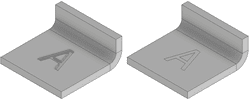
The support for engraving and marking has been significantly improved.
Not only the detection of these features, but also the output in DXF files is now fully configurable.
Using correct layers and line types, 2D CAM software can automatically handle these machining operations by applying the appropriate technology.
Depending on which side of the sheet metal the part is developed on, these features may or may not be visible in the 2D window of the developed plane.
They will always be visible in the 3D views and DXF files generated.
The requirements for engraving and marking can be found in the guide below:
Technical Information - Model Conditions - Etching/Engraving
- Automatic tool application
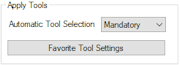
With Unfold Pro, tools can now be automatically applied to the workpiece to generate the correct developed plan.
Previously, tools had to be selected manually; now it is possible to automate the process by defining preferred tools for any combination of material and thickness.
The settings can be found in:
Options - Unfold - Apply Tools
Only available with licence Unfold Pro.
If BendSim/BendSim Pro is used, the settings are defined for each machine in Machine Settings.
- Improved detection of hole chamfers on both sides
Holes with chamfers on both sides of the sheet metal are now detected and correctly reported in the DXF file.
Previously, a chamfer on only one side per hole was permitted.
3. BendSim
- Further improvement of cycle time calculation
The function for calculating handling times during bending has been improved with new configuration possibilities for greater accuracy.
The improvement is particularly noticeable when working with a wide range of thicknesses, for which settings for multiple thickness ranges can now be defined.
The settings can be found in the Handling of Machine Settings and use the thickness intervals defined in the Material Settings.
- New algorithms for calculating tool set-ups
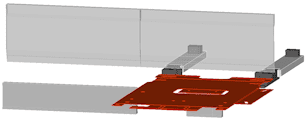
The tool set-up calculation functions have been completely rewritten.
This allows:
- Better set-ups
- Smarter
- Faster
It also allows for future developments with additional functionality.
With the new algorithms, set-ups may be slightly different than in the past in order to:
- Reducing tooling times
- Simplify part bending
- Workpiece positioning settings per machine
Positioning settings (which side of the workpiece should be towards the inside of the machine) can now be defined on a per-machine basis and not just at a general level.
Especially useful when using machines with very different characteristics.
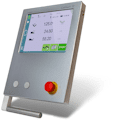
- Direct support for Cybelec CybTouch controller
Control Cybelec CybTouch has been supported by Libellula.BEND for some time, but until now it was necessary to use a converter to obtain the correct format.
Now this is no longer necessary: CybTouch programmes can be generated directly from Libellula.BEND.
CybTouch control is selectable in the list of NC outputs available in the Machine Settings.
- Holder for LVD Easy-Form® Laser angle measuring system
Libellula.BEND can now programme the angle measurement system LVD Easy-Form® Laser.
The measurement can be programmed automatically or manually, and programmes sent to the Touch-B control will include all the information required to use this functionality.
4. Batch & Remote
- Multi-processing of parts
Major improvements in processing speed have been introduced when using multiple parts with Batch & Remote.
Parts are now processed simultaneously, optimising the use of available hardware resources.
The number of parts processed simultaneously depends on the available hardware, so the level of improvement may vary.
Savings of up to 70% in processing time were found in the tests.
The multi-processing function is only available with licences E-license.
USB licences do not support multi-processing.