









CAD/CAM laser cutting software Libellula gets a makeover with version 2026. The result is an architecture designed to provide maximum stability and concrete benefits to your daily production:
-
- Maximum Stability and Safety: With the updated .NET 4.8 framework and third-party libraries, you will enjoy better memory management and high security standards.
-
- Optimised PerformanceWe introduced database indexing and a refactoring of core modules to reduce latency and optimise CPU (central processing unit) and memory usage, especially in high data volume scenarios.
-
- Modern Interface: A revamped look that integrates native Windows features, such as progress bars for calculating elements.
Find out in detail what is new in the first version 2026:
1. CAD/CAM Automation & Import
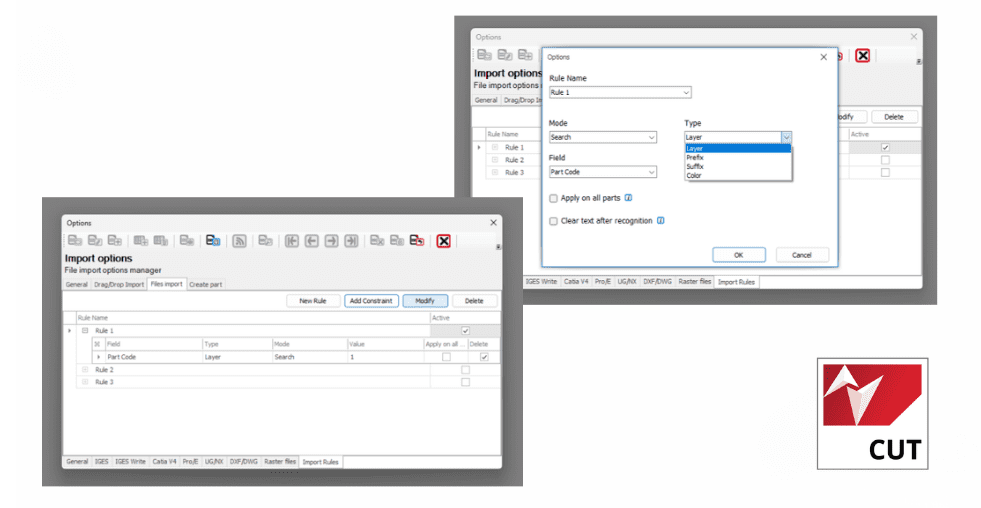
- DXF rules in OneClick: Libellula.CUT
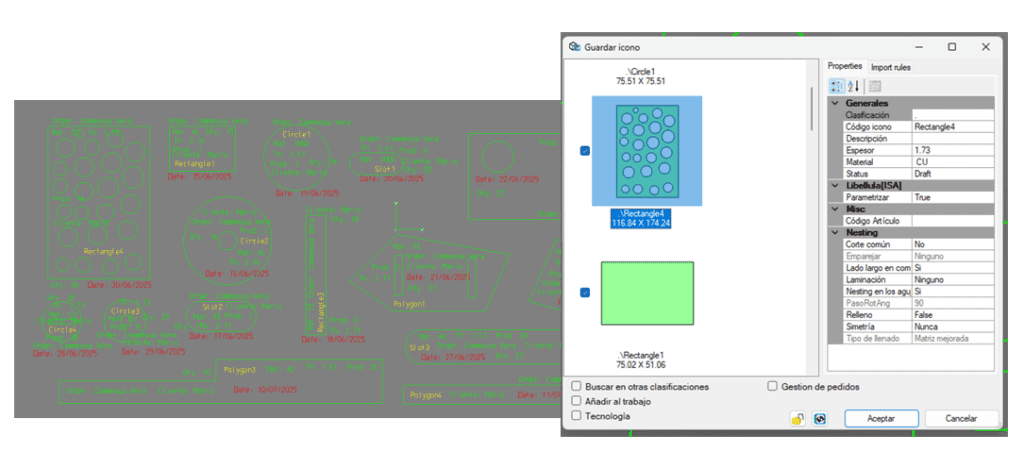
Faster import into 2D CAD of Libellula.CUT thanks to the possibility of applying specific automatic recognition rules for material, thickness and job directly from texts in DXFs.
In particular, it is possible to associate
-
- Name of piece
-
- Material
-
- Thickness
-
- Saleswoman
-
- Quantity
-
- Production Order
-
- Delivery date
ADVANTAGES
-
- Increased import speed
- Automatic creation of icons in the CAD/CAM order form Libellula.CUT
- Cleaning function: Libellula.CUT
A preliminary phase with a defocused laser to remove oxidation and impurities, ensuring a more accurate and stable cut.
ADVANTAGES
This preliminary step allows a more accurate thickness measurement and cut and
stable, avoiding anomalies during the attachment phase and preventing the formation of unwanted holes. In addition,
ensuring uniform surface conditions, cutting parameters remain constant and do not require continuous
adjustments, ensuring greater process repeatability and stability.
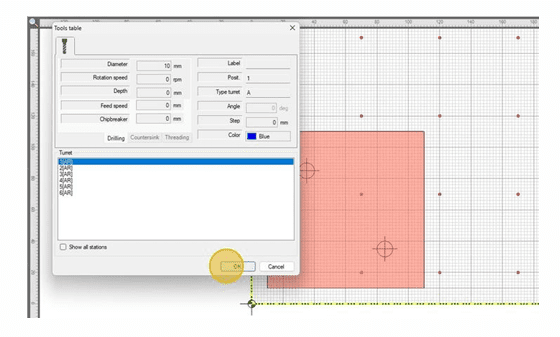
- Blind drilling: Libellula.CUT
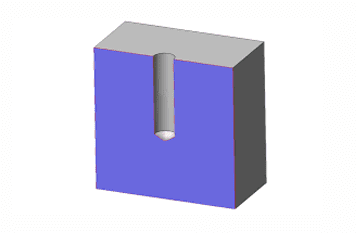
New management for aesthetically intact and ready-to-assemble parts without nuts. Applies non-passing round holes to an icon at a configurable depth.
ADVANTAGES
-
- Structure - the piece, having one of the two sides of the hole intact, is stronger;
-
- Aesthetics - the surface of the workpiece remains intact and without visible holes, making it preferable in
visible applications;
- Aesthetics - the surface of the workpiece remains intact and without visible holes, making it preferable in
-
- Assembly - the bottom of the blind hole acts as a fixing point for the screws, eliminating the need to have a nut on the opposite side.
- Master column in the Work Library: mod.ROUTING
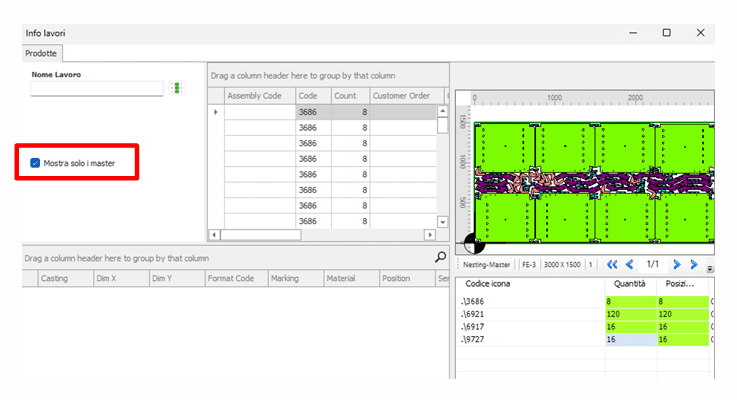
The management of repetitive nesting of the mod.ORDER has been evolved, insendo, the management of a MASTER option.
The Master column allows you to select a specific Job as “repetitive” to speed up the search in
duplication phase.
ADVANTAGES:
It is now possible to filter within the “Existing Similar Jobs” search of the mod.ORDER, and display
only works marked Master.
2. Intelligent Warehouse Management
- Marking on Scrap: Libellula.CUT
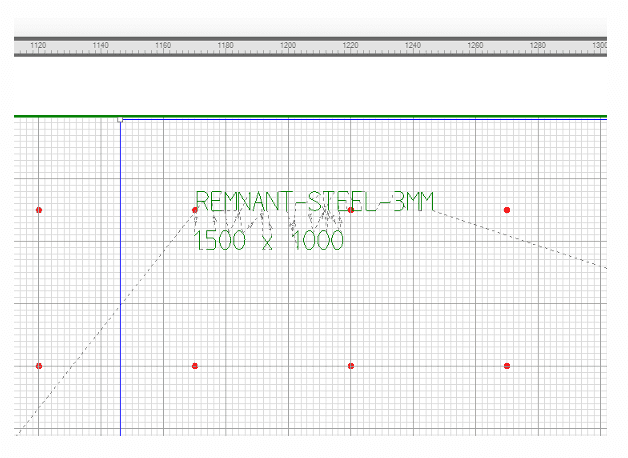
Coding of scrap without paper labels, with the possibility of deciding whether to mark it for re-use. It is possible to mark different information: the identification code, the code of the parent sheet, the
x and y dimensions, material, thickness.
ADVANTAGES
The scrap is coded, without the use of prints and labels stuck on it, recognising it with
facility. It is also possible to decide where to mark the defined text.
- Opening and Editing Scrap in CAD: Libellula.CUT
Possibility of aligning the theoretical scrap geometry with the actual geometry (e.g. after malfunctions or workpiece shifts). When plasma or oxyfuel (OXY) cutting is performed on thick materials, it can happen that the residual skeleton generated is altered for various reasons:
-
- When cutting with several torches, it may happen that one of them malfunctions and the position
of the pieces moves by a few millimetres.
- When cutting with several torches, it may happen that one of them malfunctions and the position
-
- A workpiece may not be cut correctly in the plasma and the machine operators reposition it
on the sheet, thus modifying the residue.
- A workpiece may not be cut correctly in the plasma and the machine operators reposition it
-
- To facilitate lifting with the crane, parts of the skeleton are removed, altering the
further configuration.
- To facilitate lifting with the crane, parts of the skeleton are removed, altering the
ADVANTAGES
It can therefore frequently happen that the theoretical geometry does not correspond to the actual geometry, and therefore the
scrap must be redesigned or modified.
- Quantity cast in the warehouse: mod.STORAGE
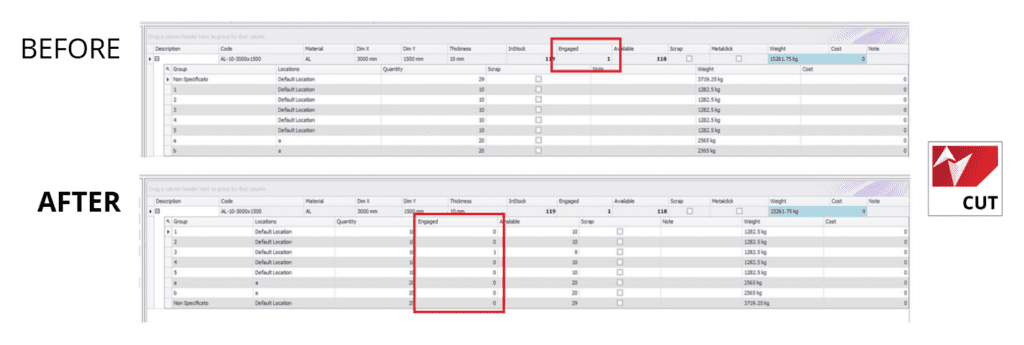
Identification of the committed quantity detail on the individual casting via the “Engaged” column.
3. Operational Efficiency and Integration
- Organise several cutting machines: mod.MULTIMACHINE
-
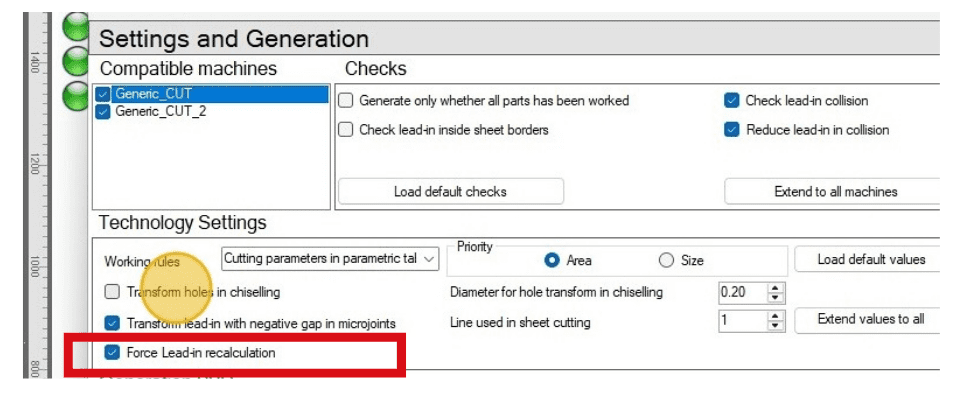
- New “Force lead-in recalculation” option within the MULTIMACHINE mod. to faithfully replicate the master configuration on additional machines.
ADVANTAGES
-
- Best performance - It allows the faithful replication of a technological configuration applied to a
sheet metal.
- Best performance - It allows the faithful replication of a technological configuration applied to a
-
- Increased speed - Avoids recalculation of bindings and dimensions, speeding up the generation of
machine programmes in MULTIMACHINE mod.
- Increased speed - Avoids recalculation of bindings and dimensions, speeding up the generation of
-
- Greater flexibility - This configuration can be activated or not, depending on the operator's needs
-
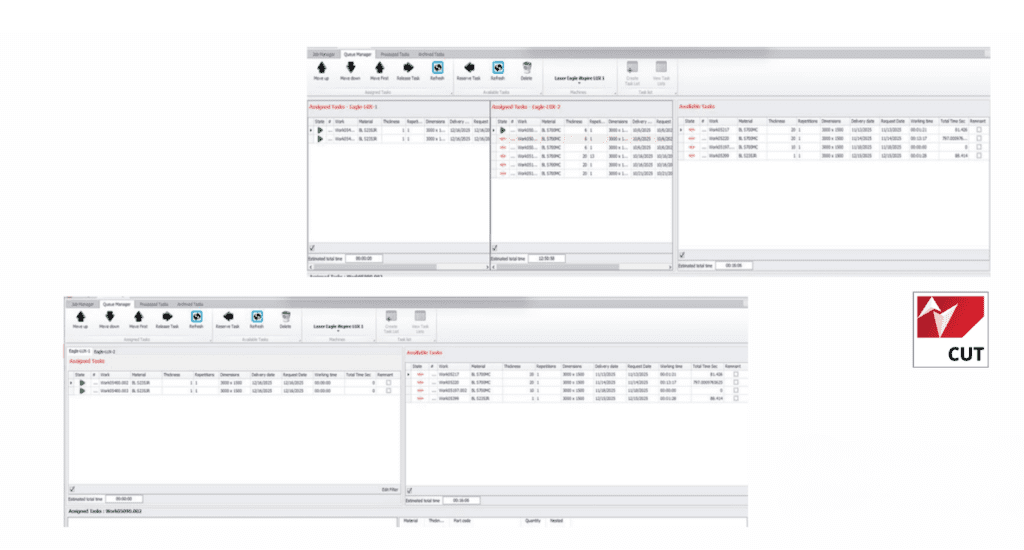
- New unified view in the mod.MANAGER (production queue management module) to display all machines within the same view on a single screen.
ADVANTAGES
This allows centralised and immediate control of the active configuration, facilitating the
loading and handling of machines.
In addition, the unified visualisation reduces the risk of operational errors, improves work organisation and optimises setup times, increasing the overall efficiency of the production process.
- Parallel Bevel & Micro Bevel Joints: Libellula.CUT
-
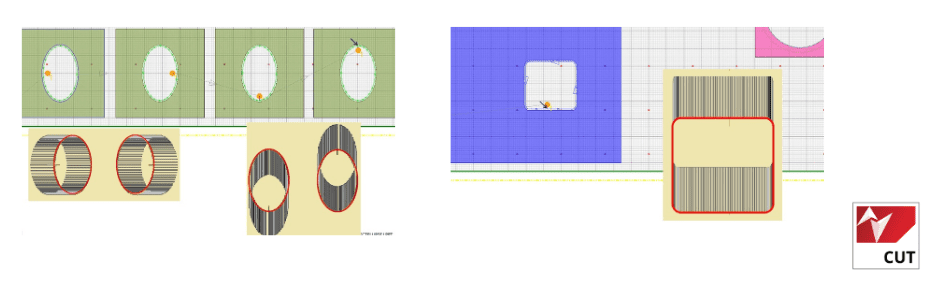
- Support for parallel bevel, i.e. bevel machining that needs to keep the rotation of the head axis locked.
ADVANTAGES
This makes it possible to drill holes into which bars not perpendicular to the plane can be inserted
-
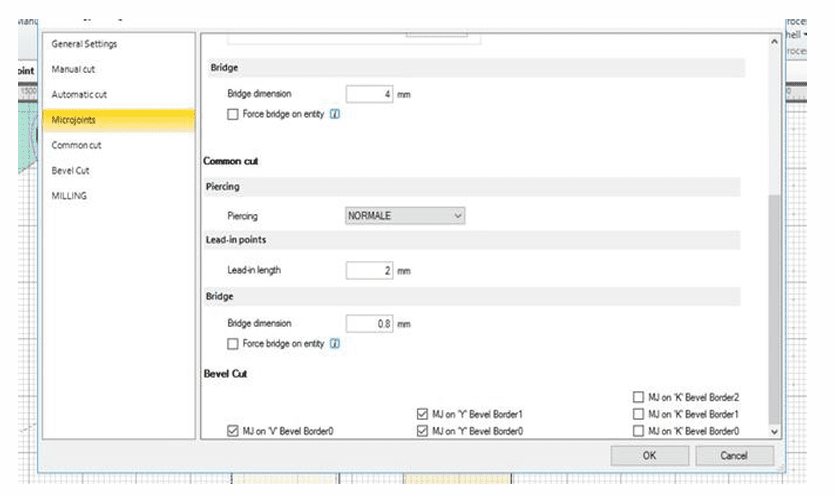
- Editing microjunctions on Bevel profiles within the configuration settings:
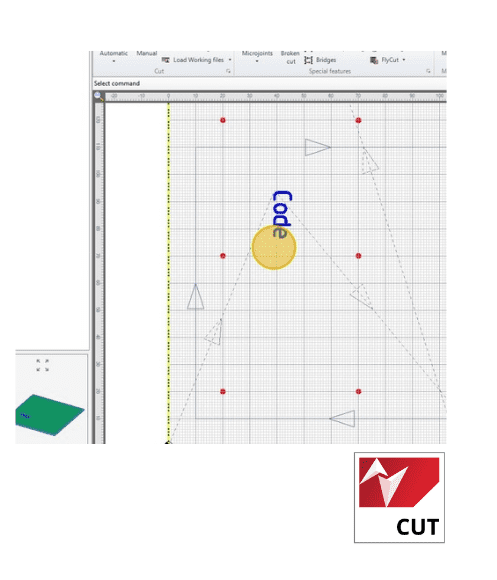
- Inkjet printer management: Libellula.CUT
Inkjet printers allow text to be applied to the icon, which will not be
marked but printed with inkjet technology.
-
- Inkjet printer management in CAD:
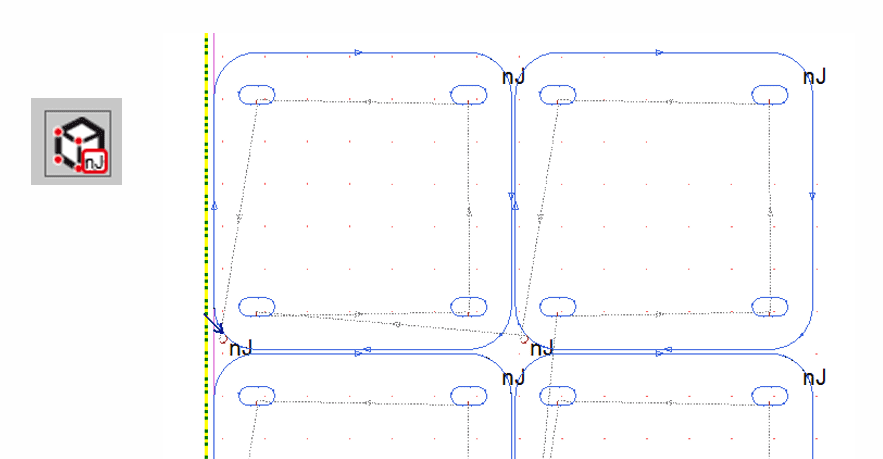
- Nanojoint also on Libellula.WIZARD
Nanojoint management was also introduced on Libellula.WIZARD.
4. Orders & Linking ERP - CAM - external software
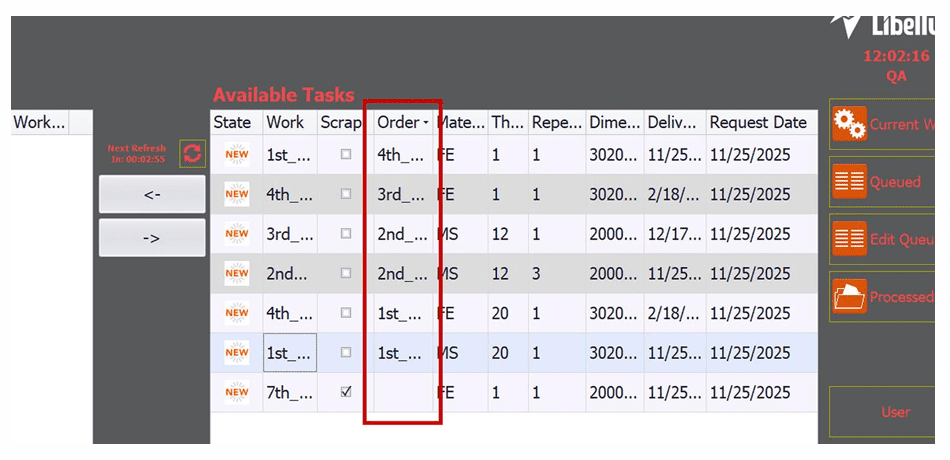
- Order display via “Order” column: Libellula.VISIO
-
- New ‘order’ column within the tables of available and queued jobs within the onboard system Libellula.VISIO to also see the associated order.
In the case of nesting containing parts with different orders, all orders will be shown in the “Order” column.
- Geometry import and PNG shapshoot generation: mod.BRIDGE
The new features allow
-
- import tubular geometries via mod.BRIDGE, represented in different formats (e.g. step and dstv)
-
- import 2D geometries via DSTV format (for drivers D018, D019, D020, D021)
-
- The function of generating png snapshots via mod.BRIDGE is now updated with the flexibility to choose the format, size and destination path for all available snapshots.
5. CNC Files & Automatic Recognition Bending
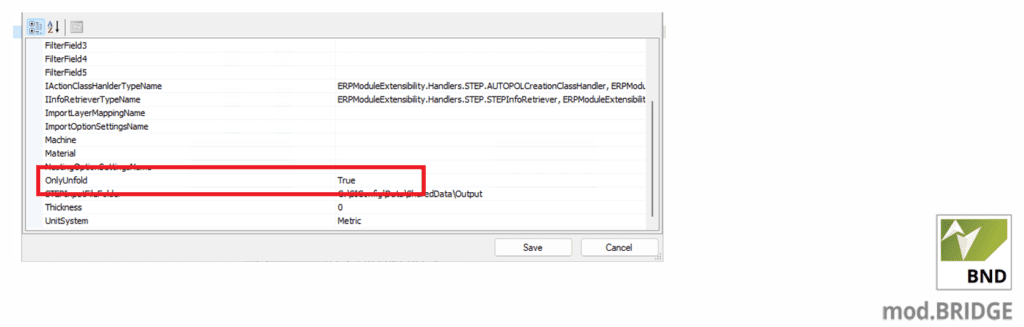
- Generate CNC files from Libellula.BEND
A configuration has been added on mod.BRIDGE to be able to also generate cnc files from Libellula.BEND via the link module by setting the BEND unfold to stepsystemwatcher and csvsystemwatcher.
ADVANTAGES
In this way, it is possible not to stop at the explanation of the piece, but to also have all the files
which are normally generated by Libellula.BEND (e.g. fold files, fold reports, etc.).
- Automatic part creation in the Library with DXF file recognition: Libellula.BEND
An automatism was introduced that allows automatic recognition of parts created with the Libellula.BEND bending software.
After processing a folding process, performed directly via Libellula.BEND or
through the Bath&Remote automatism, the software is now able to automatically create pieces in the
library, recognising the DXF file generated by Libellula.BEND and associating the material and thickness
corresponding.
ADVANTAGES:
Speeding up the creation of parts in the library, avoiding double manual data entry.
6. Find out more about the new version at Libellula.WIKI
Libellula.WIKI is the document centre of the Libellula software with:
- a section dedicated to new versions
- Product documentation
- Step-by-step guide with explanatory screenshots
- 7 languages available

Get the new Libellula software version now!
-
- Are you a Libellula customer? Contact the customer service department.
-
- Not our customer? Contact our sales department for more information.